

QA & Engineering Teams
AI-Powered STLC & Test Management Platform
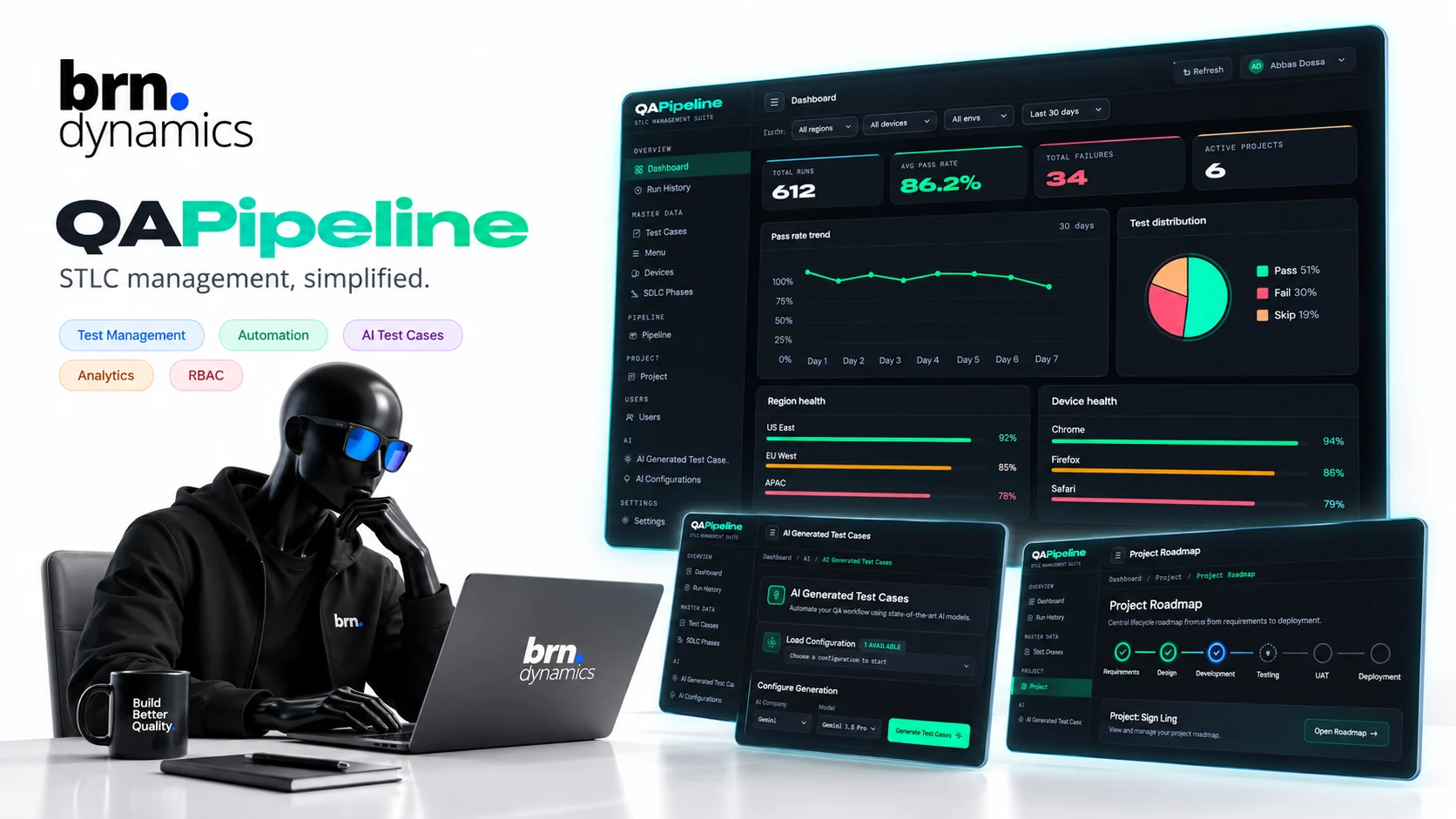
A centralized quality engineering platform for managing the complete Software Testing Life Cycle, from documentation and test case creation through automated execution, result tracking, visualization and AI-assisted testing. QA teams organize cases, run manual and automated tests, analyse results on interactive dashboards and use AI to generate scenarios and close coverage gaps, all behind secure authentication and role-based access.
01 The challenge
17
Capabilities across the testing lifecycle
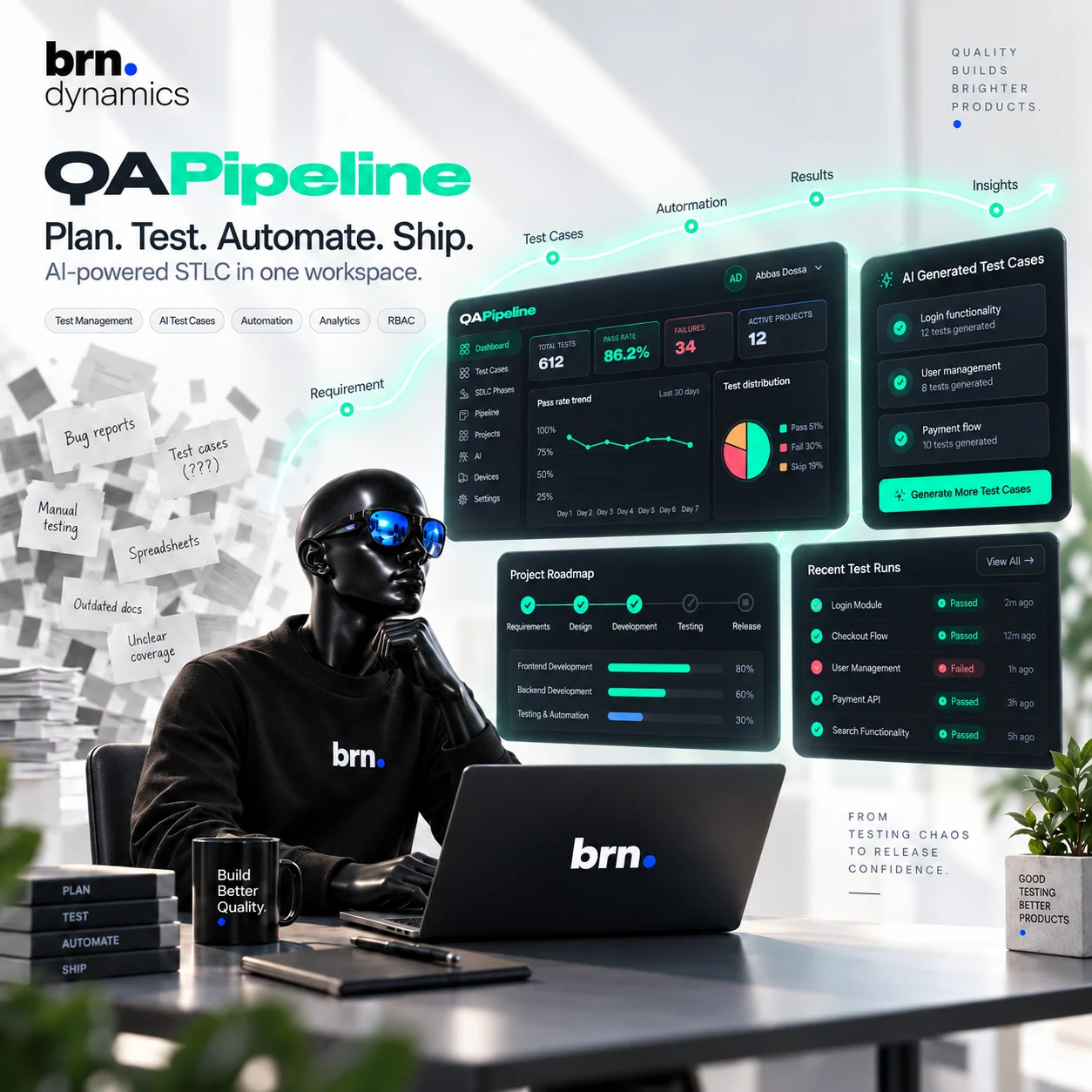
QA runs on spreadsheets far more often than anyone puts in a process document.
Test cases live in a document somebody last opened two sprints ago. Results are pasted into a chat thread. Bug reports sit in a third tool with no link back to the case that found them. Ask which areas are actually covered and the honest answer is that nobody can say without an afternoon of reading.
The brief was one workspace that holds the whole testing lifecycle, where a requirement, the cases written from it, the runs that executed them and the failures they produced are the same thread rather than four separate records.
02 What we did
- 01
Test documentation
Testing documents, plans, scenarios, cases, expected results and supporting information are managed centrally, so the plan and the tests written from it stay in the same place.
- 02
Test case management
Manual and automated cases are created, organised, updated, prioritised and maintained together rather than split across tools by execution method.
- 03
AI test case generation
Test cases, scenarios, edge cases and expected outcomes are generated from a requirement or feature description, which removes most of the blank-page work.
- 04
Automated test runs
Automated suites are executed through the platform with execution status tracked as it happens, so nobody has to go and ask the pipeline.
- 05
Manual test execution
Testers are guided through cases while pass, fail, blocked, skipped and other states are recorded, so a manual run leaves the same trail an automated one does.
- 06
Test suites and cycles
Cases are grouped into suites, releases, sprints, modules or testing cycles, which is what makes a release scope something you can point at.
- 07
Execution history
Every previous run, result, failure and piece of execution activity is kept, so regressions are visible as a pattern rather than a surprise.
- 08
Visual test analytics
Testing data becomes dashboards, pass and fail trends, execution progress and quality insights, which is the difference between having data and being able to act on it.
- 09
Failure analysis
Failed cases, recurring issues and the areas that need attention surface directly, rather than being reconstructed from a list of red rows.
- 10
AI testing assistant
Teams use AI to generate scenarios, improve existing cases, find missing coverage and understand why something failed.
- 11
Reusable test cases
Reusable components and scenarios cut the repetitive documentation work that makes QA writing feel like copying.
- 12
Search and filtering
Cases, suites, runs, modules, statuses and documentation are found quickly, which matters more as the case count grows past what anyone can hold in their head.
- 13
User management
QA engineers, developers, managers and administrators are managed centrally, so access follows the team rather than trailing behind it.
- 14
Role-based access control
Permissions are defined by role and responsibility, so what somebody can change is a property of their job rather than of who set them up.
- 15
Secure authentication
Access to testing projects and information is controlled and authenticated, which is table stakes once the test data describes a real product.
- 16
Project-level access
Teams and users are scoped to specific testing projects and environments, so a shared platform does not mean a shared blast radius.
- 17
Activity and accountability
Testing activity and the actions taken across the platform stay visible, which is what makes a result something you can stand behind in a release meeting.
03 Results
- 12Core testing and analytics modules
- 5Stages from requirement to expected result
- 5Access and accountability controls
- 4Execution states recorded per case
Built with
- Test Management
- AI Test Generation
- Automated Testing
- Test Runs
- Documentation
- Analytics
- RBAC
- Quality Insights
Usually a reply the same business day
Your project is the next entry.
Bring us the constraint that has stalled the work, whether that is budget, compliance or a vendor that will not cooperate, and we will tell you how we would sequence it.
Or write directly: hello@brndynamics.com
- Direct line
- +92 324 923 5848
- Offices
- Karachi · Riyadh · Geneva
- Time zones
- PKT / AST / CET